
How to Import Zoho Articles into YourGPT
You can easily import your Zohodesk articles into YourGPT by following the steps below, ensuring a smooth and hassle-free transition of all your help-center content and allowing you to use YourGPT’s advanced AI capabilities without losing any of your existing knowledge base:
1. Import article to YourGPT:
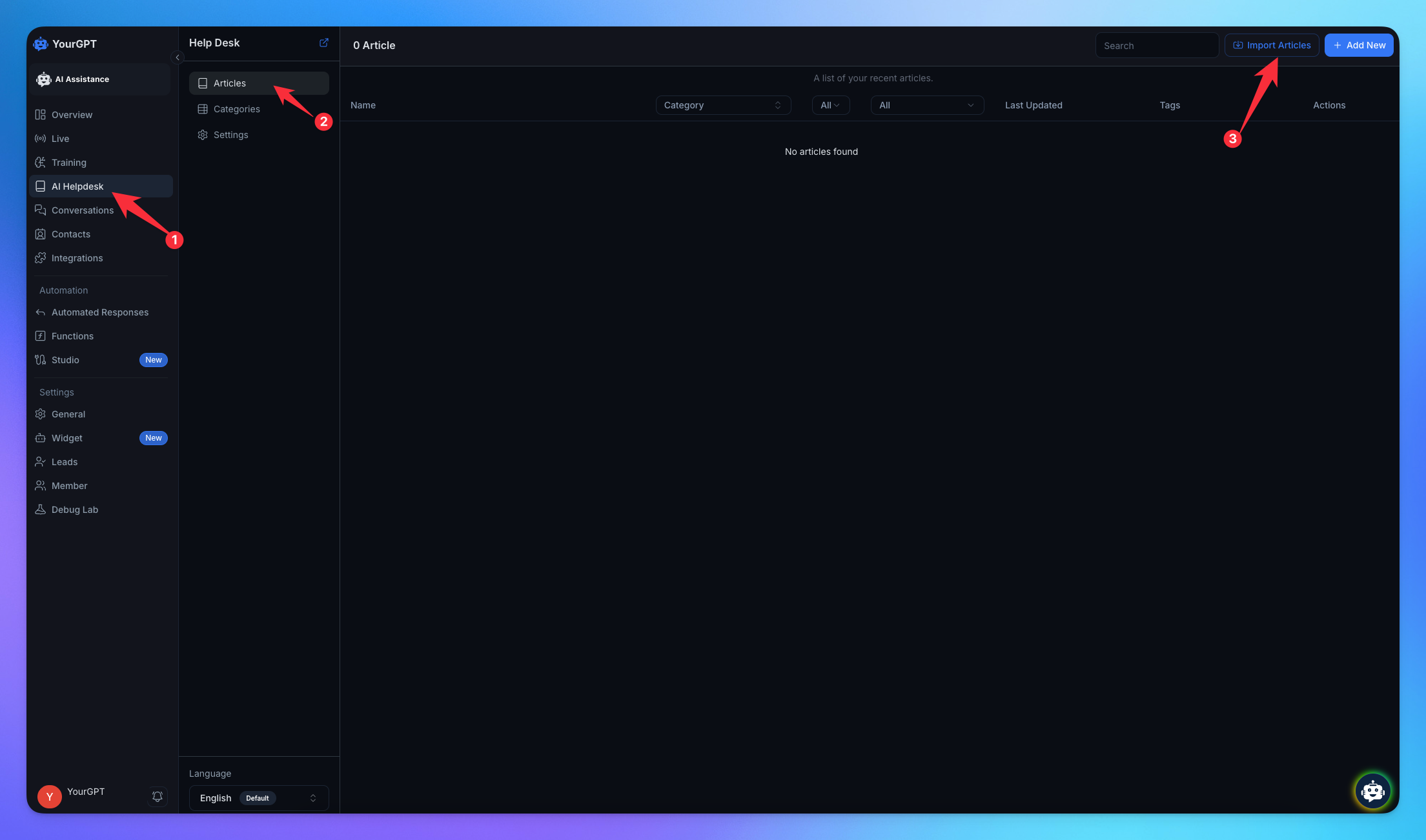
Go to Helpdesk in the sidebar.
Navigate to Articles.
Click on Import Articles.
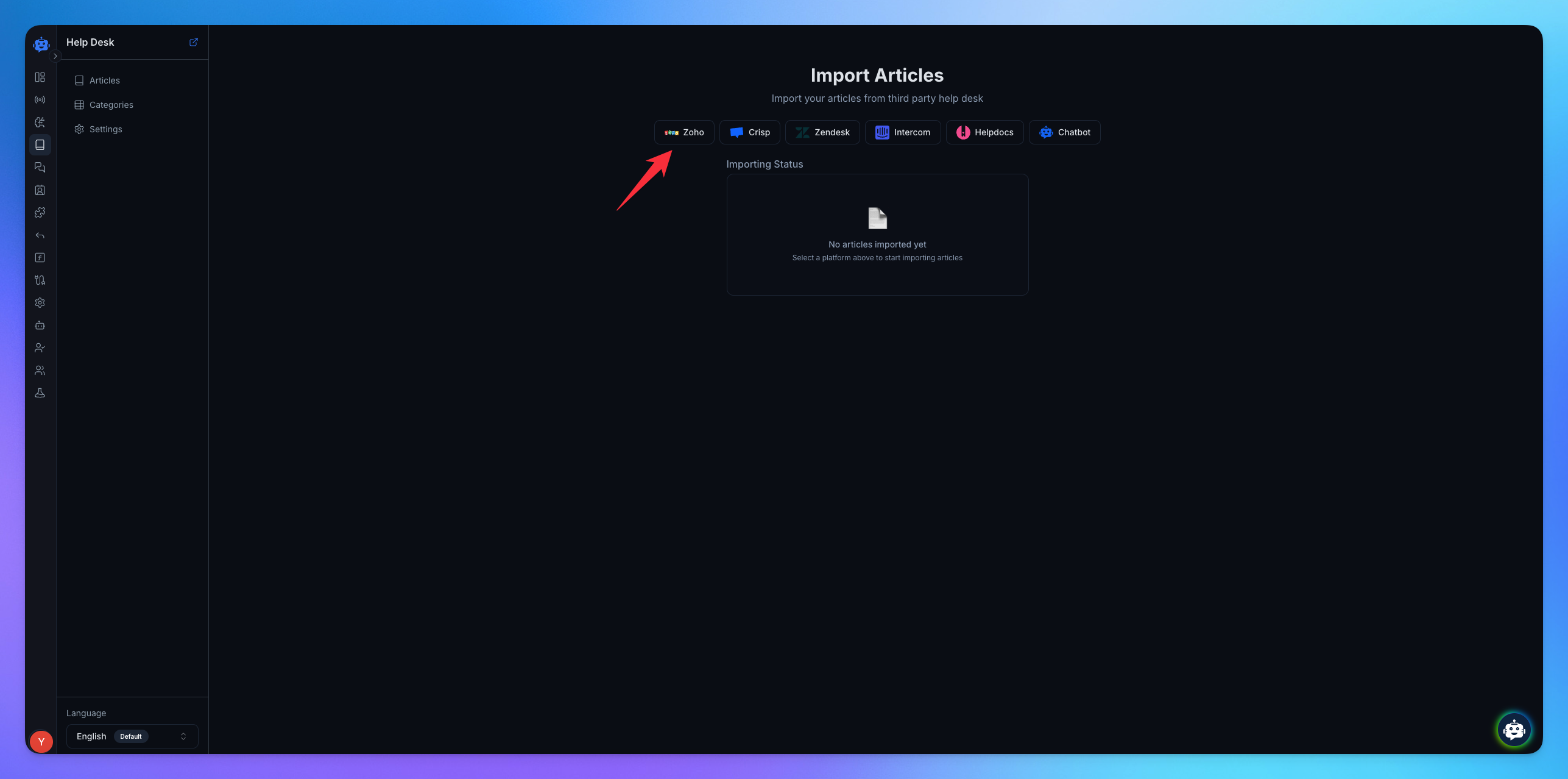
Select Zoho.
2. Connect your Zoho account:
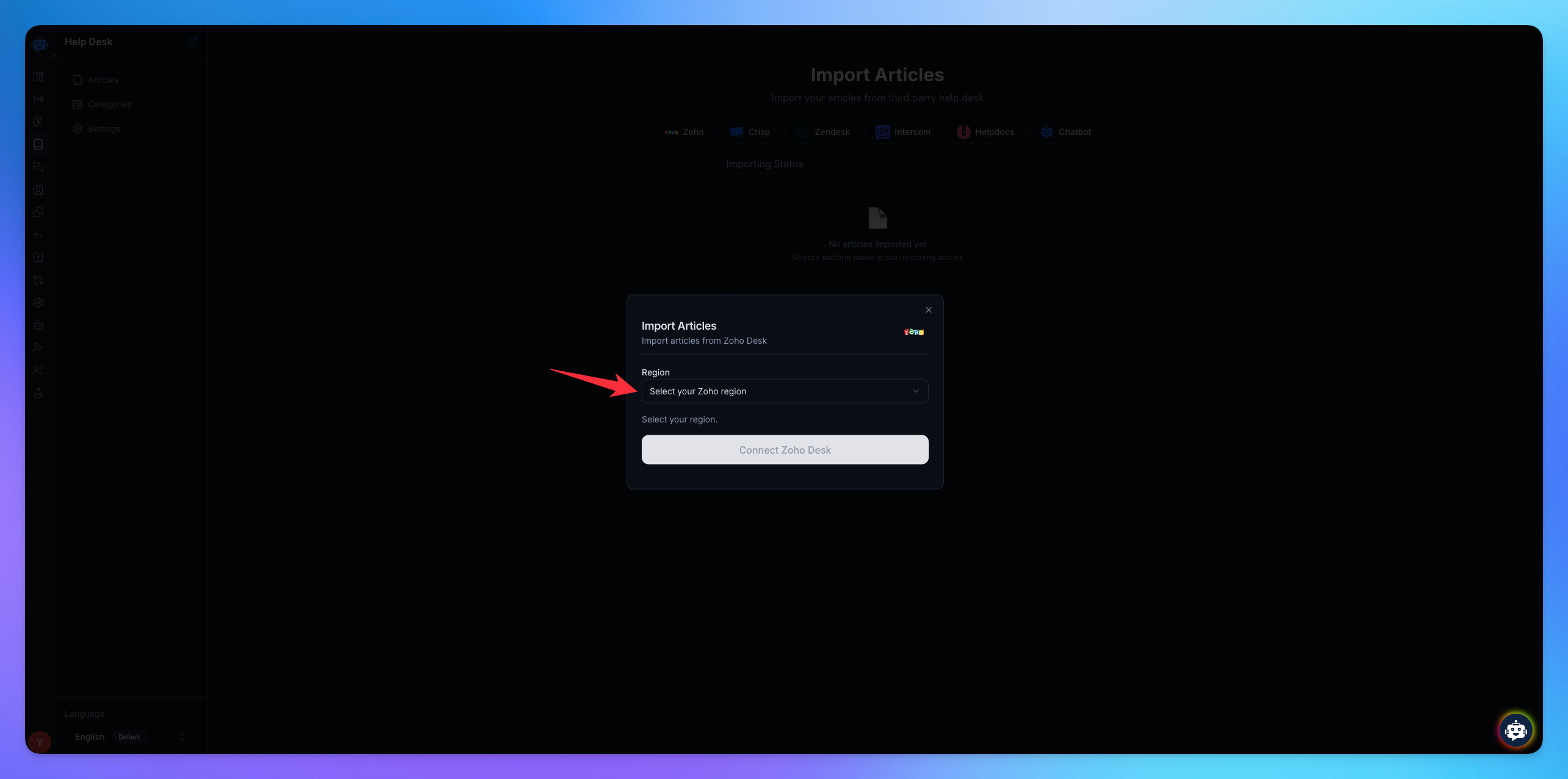
Select your Region.
Click on Connect to Zoho.
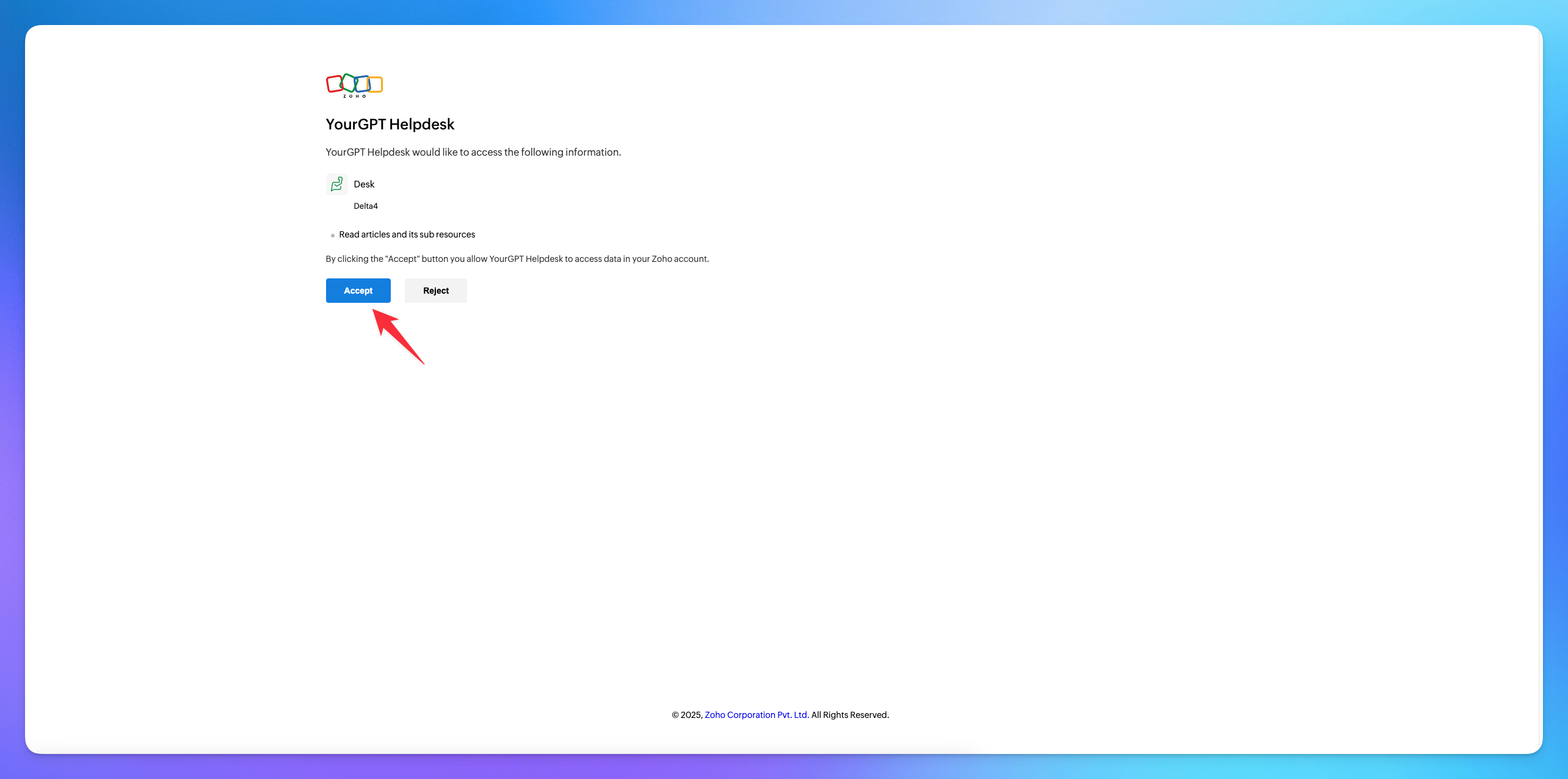
Click Accept to give permission.
✅After these carefully executed steps, your valuable articles have been successfully and completely imported into YourGPT, ensuring that every piece of content is now seamlessly integrated and ready for use within the platform.
Related Articles
How to HelpDocs Import Articles into YourGPT
Follow the steps below to collect the necessary details for importing your articles from Help Docs.
How to Import Articles from Zendesk Help Center into YourGPT
Everything you need to import knowledge base articles from Zendesk into YourGPT
How to Import Articles from Intercom into YourGPT
Everything you need to bring Intercom articles into YourGPT
How to Import Articles from Crisp into YourGPT
Follow the steps below to collect the necessary details for importing your articles from Crisp.