
How to Install the YourGPT Chatbot on Shopify?
Step 1: Copy Your Widget Script
In your YourGPT dashboard, go to the Integration section and copy the widget script provided.
Step 2: Open Your Shopify Theme Code
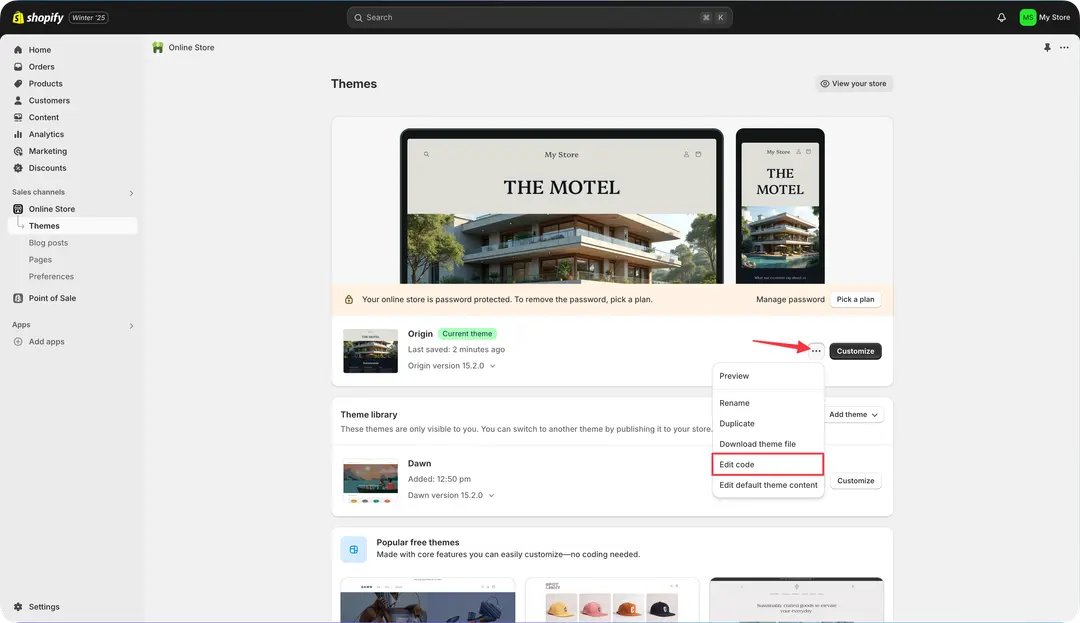
In your Shopify Admin, go to Online Store → Themes. Click the ⋯ menu next to your active theme and select Edit code.
Step 3: Add the Script to theme.liquid
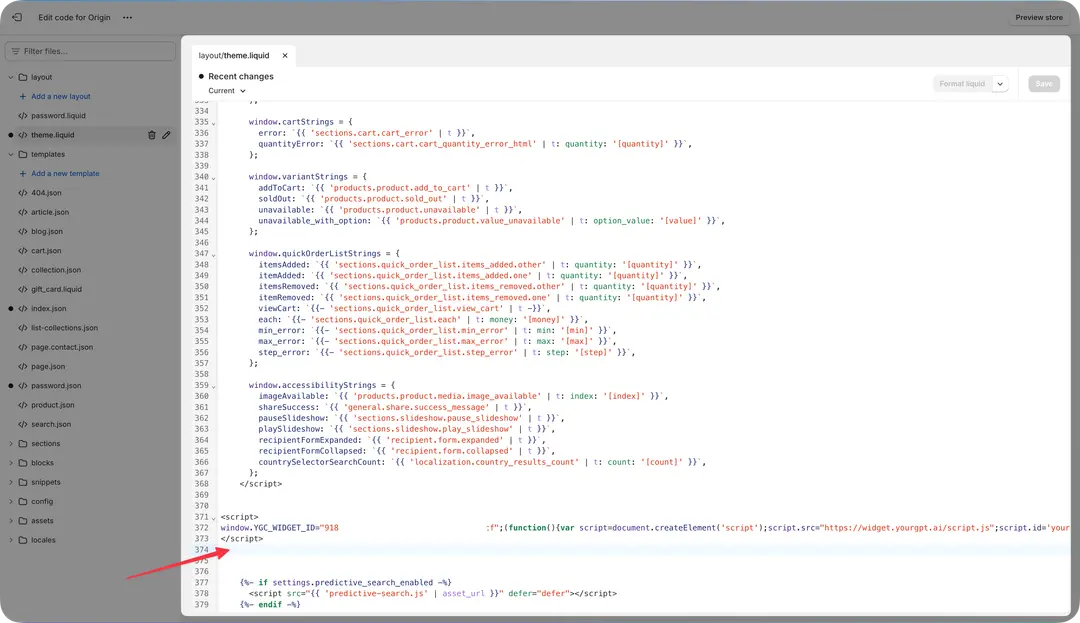
In the code editor, open Layout → theme.liquid, paste in your widget script, and click Save.
That's it — your chatbot is now live on your Shopify store.
Related Articles
How to Generate a Shopify Auth Token for Chatbot Studio?
If you want to pull data from Shopify inside your chatbot's Studio flows — for example, to call the Shopify Admin API — you'll need an Auth Token.
How to Use AI Copilot Actions for Shopify
If your website runs on Shopify, your chatbot can turn into a real shopping assistant — searching your catalog, showing product cards, and adding items to a shopper's actual cart, all without leaving the chat.
How to Real-Time Sync Your Shopify Products and Customers with YourGPT
Automatically keep your AI agent's product and customer knowledge in sync with your Shopify store